7 Aplikasi Live YouTube Terbaik untuk HP 2026: Gratis dan Mudah Dipakai
🎬 7 Aplikasi Live YouTube Terbaik untuk HP 2026: Gratis dan Mudah Dipakai
Jadi, kamu pengin live streaming dari HP dan nggak tahu harus pakai aplikasi apa? Ada banyak pilihan di market — dari yang native YouTube app sampai third-party app yang specialist untuk streaming. Tapi mana sih yang truly worth kamu install?
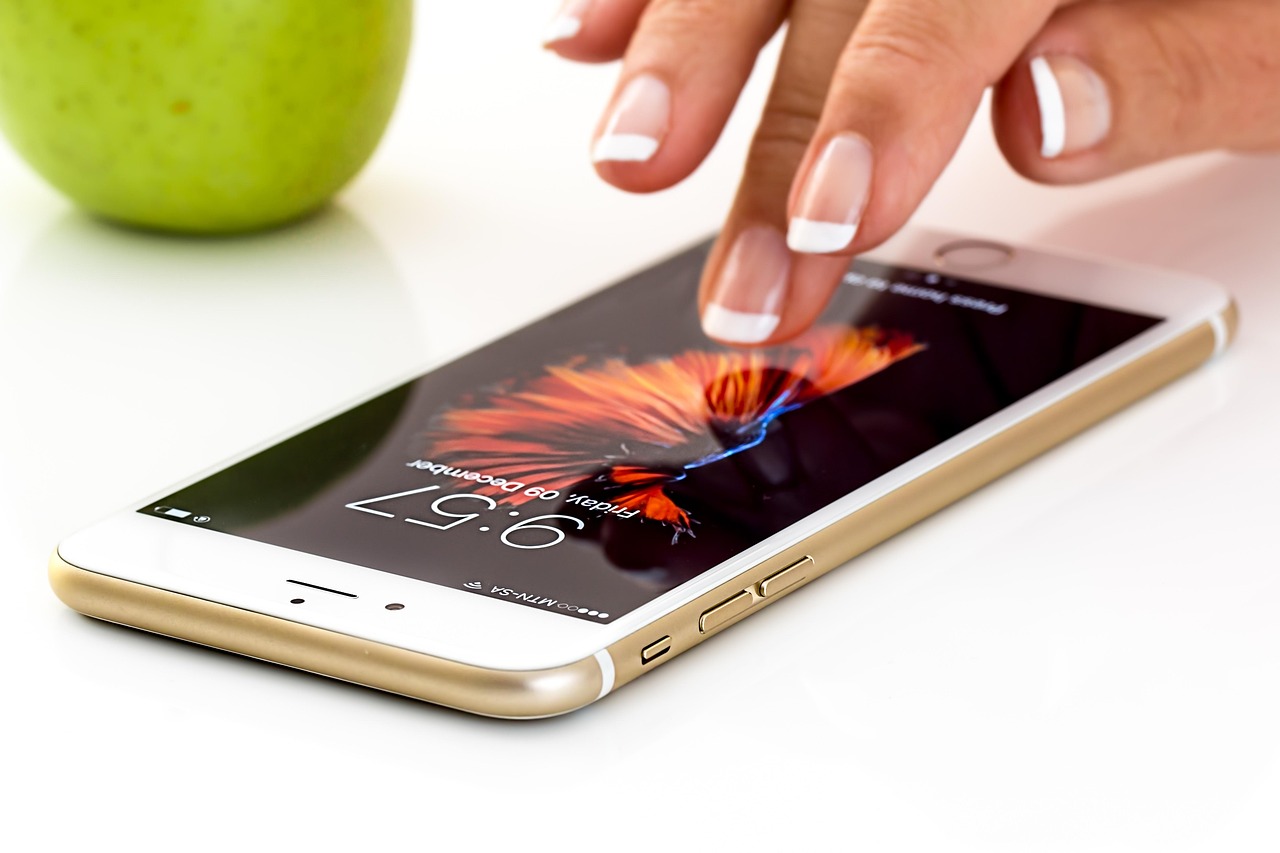
Artikel ini akan review 7 aplikasi terbaik untuk live streaming YouTube dari HP (both iOS dan Android). Setiap app punya pros dan cons — kamu bakal learn yang paling cocok untuk use case kamu. Semua aplikasi yang listed di sini gratis atau punya free version yang solid. Nggak ada paid software yang wajib.
Mengapa Pakai Aplikasi Khusus untuk Live YouTube?
Nggak semua orang tahu kalau YouTube app bawaan punya limitation. Misalnya, fitur “Go Live” di mobile biasanya basic — nggak banyak setting, nggak bisa add overlay, nggak bisa integrate OBS, dll.
Aplikasi pihak ketiga exist untuk solve problem ini. Mereka provide:
- Better streaming quality control — bitrate adjustment, resolution selection, dll
- More features — overlays, scene switching, multiple camera, chat integration
- Workaround untuk subscriber requirement — beberapa app bisa help kamu live even kalau belum 1000 subscriber
- Professional tools — untuk creator yang serious dan nggak puas dengan basic functionality
Tapi important note: aplikasi ini tidak replace YouTube app — mereka complement. Kamu masih perlu YouTube account dan streaming tetap saved ke YouTube channel kamu.
App #1: YouTube Official Mobile App 📱
🎯 Basics
Platform: iOS dan Android | Price: Gratis | Rating:
Tentu saja yang pertama adalah YouTube app official sendiri. Ini bakal kamu butuh anyway — ini gateway untuk live streaming di YouTube. Fitur “Go Live” built-in untuk channel kamu yang eligible.
✅ Kelebihan:
- Official, stable, nggak bakal di-ban atau di-deprecate
- Direct integration dengan YouTube channel dan analytics
- Simple user interface, perfect untuk beginner
- Nggak perlu setup complicated seperti app lain
- Auto-save ke YouTube — nggak perlu manage file
- Free selamanya
❌ Kekurangan:
- Require 1000 subscriber untuk Go Live di mobile
- Limited customization — overlay, effect, scene switching nggak ada
- Kualitas streaming depends 100% pada internet connection, nggak ada bitrate optimization tools
- Nggak bisa add external mic atau advanced audio setting dari app
- Chat integration basic — nggak bisa hide spam atau set slow mode dari app
💡 Best For:
Creator yang sudah 1000+ subscriber dan nggak butuh advanced feature. Perfect untuk casual live chat, Q&A, or behind-the-scenes content dari mobile.
Download Link:
Udah di hape kamu pasti, atau download dari App Store / Google Play (search “YouTube”)
App #2: Streamlabs Mobile ⚡
🎯 Basics
Platform: iOS dan Android | Price: Gratis (pro version berbayar) | Rating:
Streamlabs adalah nama besar di streaming world — mereka provide tools untuk Twitch streamer professional. Mobile version mereka sangat bagus untuk live YouTube dari HP, dan nggak require subscriber minimum (walau YouTube backend masih butuh requirement, app ini bisa help workaround).
✅ Kelebihan:
- Nggak butuh 1000 subscriber — work around dengan RTMP streaming (technical tapi possible)
- Built-in overlays, alerts, dan effects
- Scene switching — bikin looks professional
- Chat integration dari Streamlabs dashboard
- Bitrate dan resolution adjustment options
- Support for multiple platform simulcast (YouTube + Twitch sekaligus)
- Intuitive UI dan beginner-friendly setup
❌ Kekurangan:
- Curve belajar lebih steep daripada YouTube app — ada lebih banyak setting
- Pro version punya premium features yang might be tempting to upgrade
- Require Streamlabs account + YouTube connection (extra login steps)
- Sometimes app bisa lag atau crash di low-end device
- Chat bisa delayed compared to YouTube native app
💡 Best For:
Creator yang belum 1000 subscriber tapi desperate untuk live, atau creator yang want professional overlays dan scene switching dari mobile. Gaming streamer atau talk show creator yang appreciate advanced features.
Download Link:
iOS: App Store | Android: Google Play (search “Streamlabs”)
Setup:
Download, sign in dengan Streamlabs account, connect YouTube channel, dan sudah ready to go. Setup wizard kamu guide through semua step.
App #3: Prism Live Studio 🎥
🎯 Basics
Platform: iOS dan Android | Price: Gratis (in-app purchase untuk filter dan effect) | Rating:
Prism Live adalah app specialist untuk mobile streaming yang specifically designed untuk creator yang want beautiful, professional-looking stream dari smartphone. Interface-nya user-friendly dan visual-focused.
✅ Kelebihan:
- Gorgeous UI dan intuitive design
- Built-in beauty filter dan effect yang actually look good
- Multi-guest support — bisa invite guest untuk co-stream
- PiP (Picture-in-Picture) mode — bisa screen share sambil kamera visible
- Music library built-in — nggak perlu worry tentang copyright music
- Free version quite powerful, tidak terlalu aggressive dengan upsell
❌ Kekurangan:
- Require 1000 subscriber untuk native YouTube live (same limitation YouTube punya)
- Some best effect require in-app purchase
- Analytics dashboard nggak comprehensive seperti Streamlabs
- Community smaller daripada Streamlabs — fewer tutorial dan less support
💡 Best For:
Creator yang care tentang aesthetic dan visual quality, terutama content creator, beauty creator, atau anyone yang want polished look. Good untuk interview-style content dengan guest.
Download Link:
iOS: App Store | Android: Google Play (search “Prism Live”)
App #4: Restream 🌐
🎯 Basics
Platform: iOS dan Android (primarily browser-based, mobile app limited) | Price: Freemium (browser), mobile app free | Rating:
Restream adalah platform khusus untuk multi-platform streaming. Kamu bisa live di YouTube, Twitch, Facebook, Instagram simultaneously dari satu interface. Powerful untuk creator yang want maximize reach tanpa manually streaming multiple place.
✅ Kelebihan:
- Multi-platform streaming — one click, multiple platform
- Nggak require 1000 subscriber (workaround dapat via RTMP)
- Unified chat dari semua platform — moderate semuanya dari satu place
- Analytics across all platform
- Mobile app pretty basic tapi functional
- Browser version powerful dengan layout customization
❌ Kekurangan:
- Mobile app limited — best experience di browser/desktop
- Learning curve considerable kalau want full feature set
- Free version punya limitation tentang multi-platform setup (1-2 platform only)
- Chat delay kadang visible across some platform
- Setup lebih complicated than dedicated mobile app
💡 Best For:
Creator yang want stream multiple platform simultaneously, especially Twitch + YouTube combo. Creator yang want centralized control dan analytics dari multiple channel.
Download Link:
iOS: App Store | Android: Google Play, atau best access dari browser (restream.io)
App #5: OmletArcade (Gaming-Specific) 🎮
🎯 Basics
Platform: Primarily Android | Price: Gratis (premium features berbayar) | Rating:
Specialized untuk gaming streaming. OmletArcade bisa screen capture game kamu dan stream ke YouTube langsung dari HP, terus add overlay, invite friend untuk watch, dll. This is the go-to app kalau streaming game.
✅ Kelebihan:
- Optimized untuk game streaming — understand game-specific needs
- Screen recording dan streaming simultaneously tanpa lag
- Friend can watch di app (not just YouTube) dan give feedback in real-time
- Overlay customizable
- Free version sudah quite feature-rich
- Community mostly gamer — supportive dan relevant
❌ Kekurangan:
- Mostly Android, minimal iOS support
- Require 1000 subscriber untuk stream ke YouTube (YouTube limitation)
- Screen capture bisa consume resource — game performance might suffer di low-end device
- Subscription model aggressively pushed
- Not good untuk non-gaming content
💡 Best For:
Android gamer yang want stream game ke YouTube. Mobile esports streamer atau content creator yang feature gaming content significant.
Download Link:
Android: Google Play (search “OmletArcade”)
App #6: Larix Broadcaster 📺
🎯 Basics
Platform: iOS dan Android | Price: Freemium | Rating:
Larix adalah app yang power professional broadcaster dan streaming enthusiast. Nggak begitu user-friendly seperti others — technical lebih dalam. Tapi kalau kamu willing learn, ini aplikasi yang paling powerful untuk mobile streaming. Support RTMP/RTMPS protocol yang bisa bypass limitation apa pun (technically).
✅ Kelebihan:
- Most powerful mobile streaming app — support advanced streaming protocol
- Nggak require 1000 subscriber (RTMP direct ke YouTube)
- Multiple audio input dan video source
- Bitrate control precise — optimize untuk any connection speed
- Support virtual camera — bisa use untuk OBS alternative
- Professional UI yang customizable
- Nggak aggressive dengan premium upsell
❌ Kekurangan:
- Steep learning curve — nggak beginner-friendly
- Interface dense dan intimidating untuk casual user
- Require technical knowledge tentang streaming protocol dan RTMP
- Documentation bisa lebih comprehensive
- No built-in overlay atau effect (minimalist approach)
💡 Best For:
Technical creator yang comfortable dengan streaming terminology dan setting. Professional broadcaster yang want maximum control dan reliability. Creator yang explore advanced streaming setup.
Download Link:
iOS: App Store | Android: Google Play (search “Larix Broadcaster”)
Setup Warning:
Setup lumayan technical — kamu butuh YouTube RTMP stream key dan understand broadcast setting. Recommend follow tutorial YouTube sebelum first use.
App #7: ScreenFlow / RecordCast (Screen Sharing) 🎯
🎯 Basics
Platform: iOS dan Android | Price: Gratis / paid version | Rating:
Last app is untuk screen recording dan streaming. ScreenFlow / RecordCast bisa capture screen HP kamu (untuk demo, tutorial, presentation) dan stream langsung ke YouTube. Useful untuk content creator yang teach via screen recording.
✅ Kelebihan:
- Clean screen capture tanpa lag
- Audio dari app atau microphone bisa capture simultaneously
- Support webcam overlay (kamera kamu visible + screen)
- Easy setup — download, record, go
- Multi-platform output (YouTube, drive, etc)
❌ Kekurangan:
- Primarily untuk recording, streaming functionality secondary
- Require 1000 subscriber untuk YouTube live (YouTube limitation)
- Free version punya watermark atau limitation
- Battery drain significant — require charging saat streaming
- Not ideal untuk talking head content
💡 Best For:
Educator, tutorial creator, presentation creator yang live screen share dari HP. Tutorial content, webinar, software demo live streamer.
Download Link:
iOS: App Store (ScreenFlow) | Android: Google Play (RecordCast or similar screen capture app)
Comparison Table: Quick Reference
| App | Require 1K Sub? | Ease | Features | Best For |
| YouTube Official | Yes | ⭐⭐⭐⭐⭐ | Basic | Casual streamer |
| Streamlabs | No (workaround) | ⭐⭐⭐⭐ | Advanced | Serious creator |
| Prism Live | Yes | ⭐⭐⭐⭐ | Aesthetic focused | Beauty/lifestyle creator |
| Restream | No (workaround) | ⭐⭐⭐ | Multi-platform | Multi-streamer |
| OmletArcade | Yes | ⭐⭐⭐⭐ | Gaming-focused | Game streamer |
| Larix | No (RTMP) | ⭐⭐ | Most advanced | Pro broadcaster |
| ScreenFlow | Yes | ⭐⭐⭐⭐ | Screen capture | Tutorial creator |
Rekomendasi Final Kamu Harus Pilih Berdasarkan Situation
Scenario 1: “I already punya 1000+ subscriber, just want simple”
Pilih: YouTube Official App. Nggak perlu install extra app — sudah ada, stable, nggak complicated. Kamu nggak need fancy feature.
Scenario 2: “I belum 1000 subscriber tapi pengin live dari HP”
Pilih: Streamlabs Mobile atau Larix. Both provide RTMP workaround yang bisa bypass requirement. Streamlabs lebih beginner-friendly.
Scenario 3: “I gamer dan pengin stream game”
Pilih: OmletArcade (Android) atau Streamlabs Mobile (iOS). Optimize untuk game streaming dan performance.
Scenario 4: “I want stream ke multiple platform sekaligus”
Pilih: Restream. Design khusus untuk multi-platform dan powerful untuk use case ini.
Scenario 5: “I aesthetic-focused dan want professional look”
Pilih: Prism Live. Built-in filter dan effect bagus, interface beautiful.
Scenario 6: “I professional dan want maximum control”
Pilih: Larix Broadcaster. Most powerful tapi butuh technical knowledge.
Tips Memilih dan Menggunakan Aplikasi
1. Start dengan Free Version
Semua app ini punya free atau freemium version. Try gratis dulu sebelum commit ke paid version. See what work best untuk workflow kamu.
2. Download Beberapa dan Test
Jangan straight away pick one. Download 2-3 app yang paling promising, test each dengan short test stream (bisa unlisted atau private), dan see which feel natural untuk kamu.
3. Watch Setup Tutorial
Each app punya learning curve berbeda. Spend 10-15 menit watch YouTube tutorial khusus app sebelum first serious streaming session.
4. Internet Connection Test
Before real stream, run internet speed test. Confirm upload speed minimal 2.5 Mbps untuk 720p 30fps. Kalau lower, reduce resolution atau bitrate dari app setting.
5. Start Simple, Add Complexity Later
Jangan use semua feature sekaligus di streaming pertama. Mulai simple — camera + microphone + title. Once comfortable, add overlay, effect, advanced setting.
FAQ: Common Question tentang Streaming App
Apakah app ini aman dan nggak akan hack account YouTube?
Kalau official app atau reputable third-party (Streamlabs, Larix, Restream), semua aman. Mereka established company dengan reputation protect. Jangan download random unknown app dari sketchy source — stick dengan Play Store / App Store official.
Apakah app ini legal atau violate YouTube TOS?
Semua app yang listed di sini legal dan follow YouTube TOS. Mereka officially integrate dengan YouTube dan nggak circumvent rule apa pun. Safe to use.
Apakah bisa stream ke YouTube dan TikTok simultaneously?
Bisa dengan Restream atau beberapa app lain, tapi bukan semua app support ini. Check documentation. Note: TikTok Live requirement berbeda dari YouTube, jadi check TikTok requirement separate.
Mana yang paling battery efficient?
Generally YouTube Official App dan Streamlabs relative efficient. ScreenFlow drain battery fastest karena screen capture. Kalau battery concern, enable battery saver mode HP saat streaming.
Apakah perlu eksternal mic atau bawaan HP sudah OK?
Bawaan HP sudah OK untuk start. Tapi kalau audio quality jadi issue dan viewers complain, invest di external USB mic atau lavalier mic — significant improvement quality.
Kesimpulan
Jadi, mana app yang kamu harus install? Depend pada situation kamu, tapi general recommendation:
Kalau baru start: YouTube Official App atau Streamlabs (walau belum 1000 sub). Keduanya beginner-friendly dan powerful enough untuk content quality yang good.
Kalau sudah established: YouTube Official cukup, atau upgrade ke Streamlabs / Larix kalau mau advanced feature.
Kalau gamer: OmletArcade atau Streamlabs.
Kalau multi-platform: Restream.
Biggest mistake creator biasanya adalah overthinking selection. Download dua atau tiga, test each dengan short test stream, dan pick yang feel natural. Tool choice less important dari consistent content dan audience engagement. Even dengan YouTube Official App yang basic, kalau content kamu bagus dan kamu engage dengan audience, viewer bakal tetap datang.
Start simple, iterate, dan improve dari situ. Happy streaming!
🎬 Maksimalkan Streaming dengan Dashboard Management Lengkap
Manage multiple streaming app, track analytics, optimize quality, dan grow audience dengan satu dashboard terintegrasi. Buatan Indonesia, support lokal responsif.
Integrasi semua app • Real-time analytics • Mulai gratis sekarang